Reverse audio for iPhone
Say it. Hear it backwards
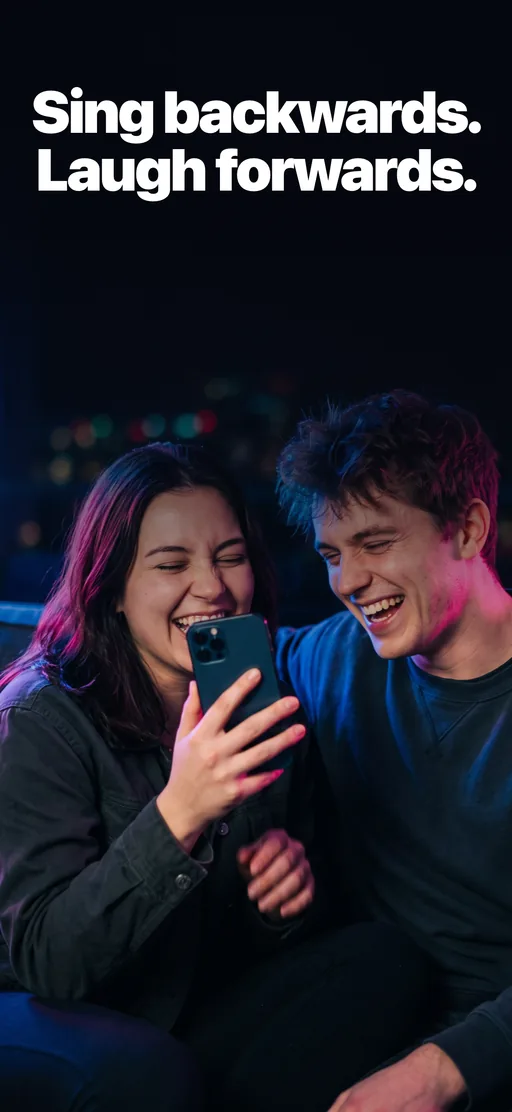
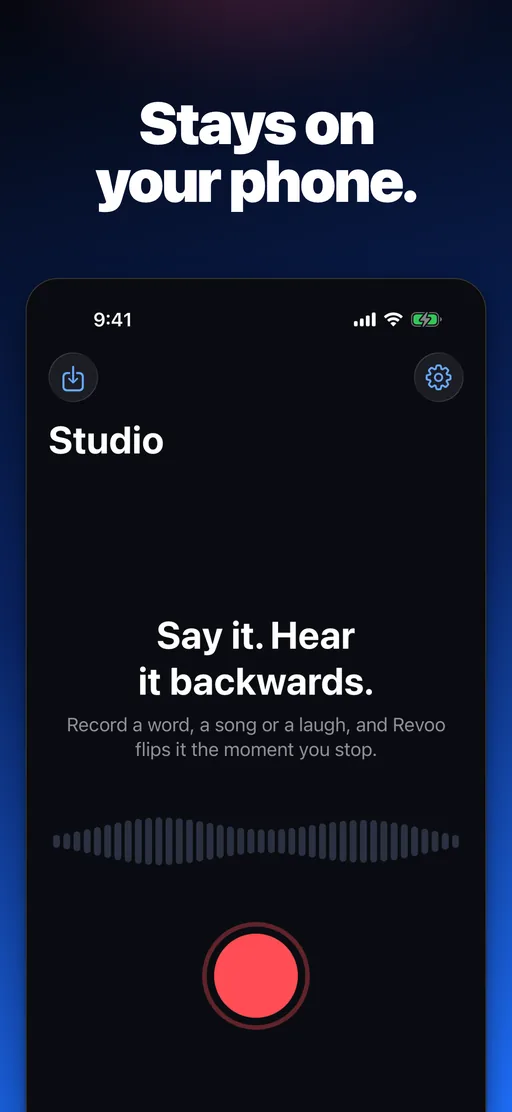
Record a word, a song or a laugh, and Revoo flips it the moment you stop. Then sing it backwards and see how close you get. No ads, no limits.

01 · Features
Everything you say, both ways
One tap to record, instant backwards playback, and a party game built on top of it.
- TAKE 01
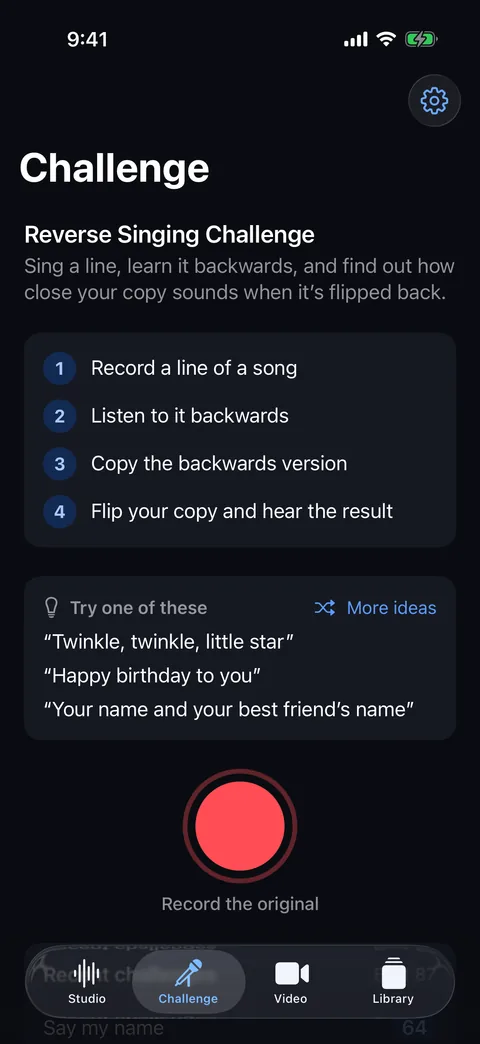
The Reverse Singing Challenge
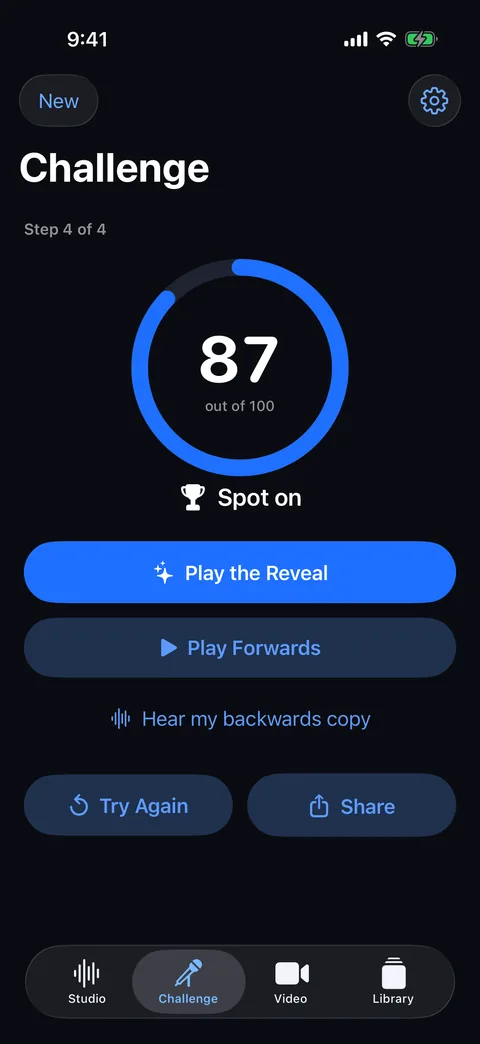
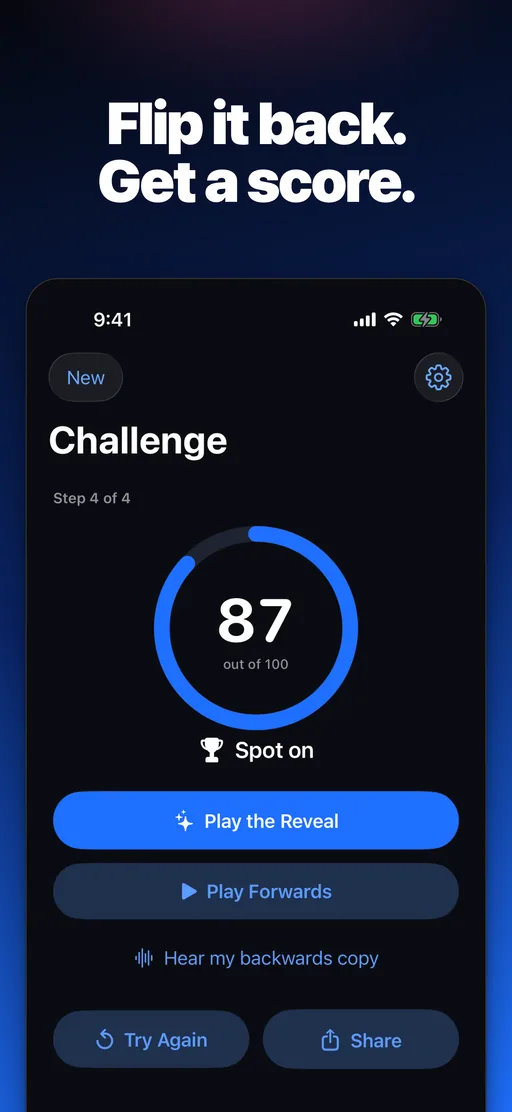
Sing a line, listen to it backwards, copy the backwards sound, then flip your copy and hear the reveal. Revoo scores how close you got out of 100, and you can share the reveal as a video.
- TAKE 02
Reverse anything, free
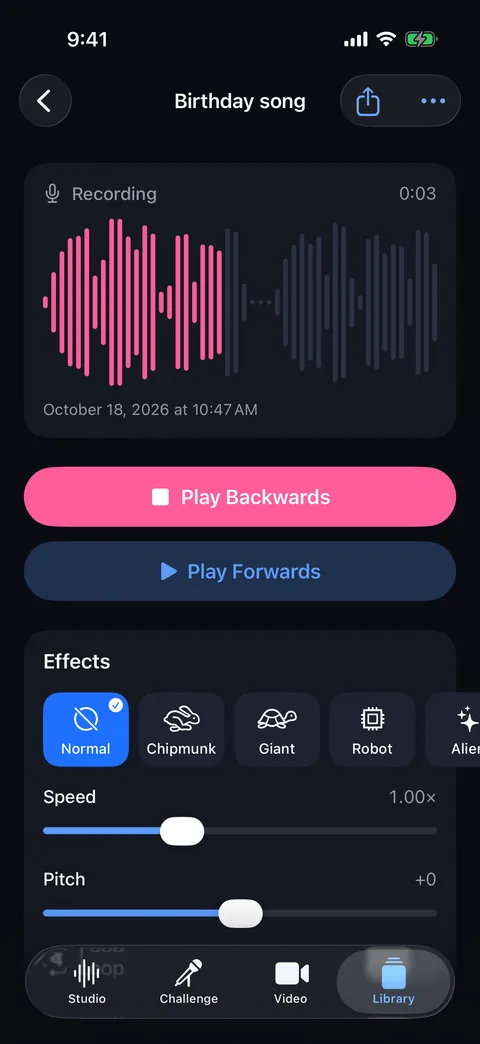
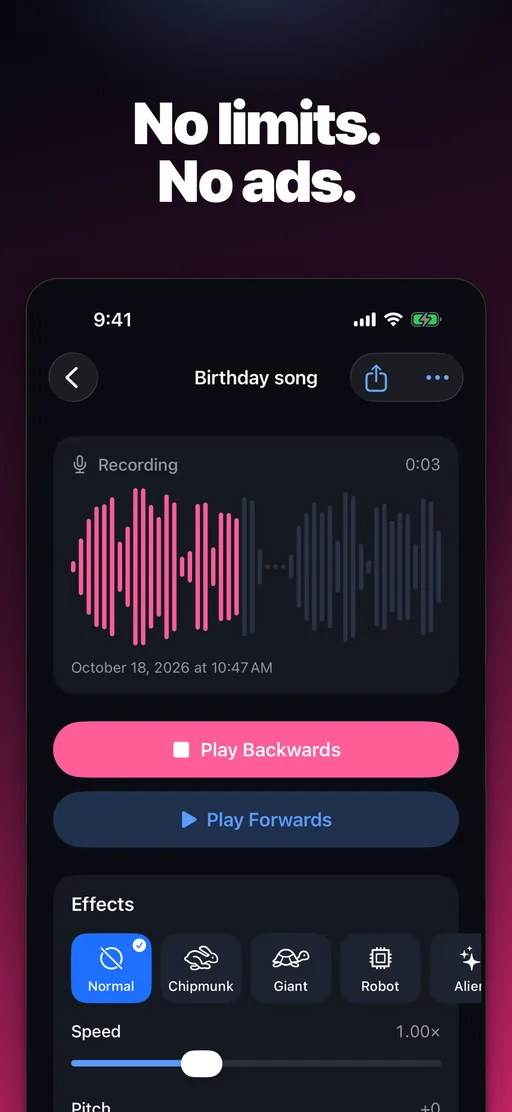
Record and play any take forwards or backwards as often as you like, with no ads and no limits. Import songs, voice memos, audio files or the sound of any video.
- TAKE 03
Backwards video and voice effects
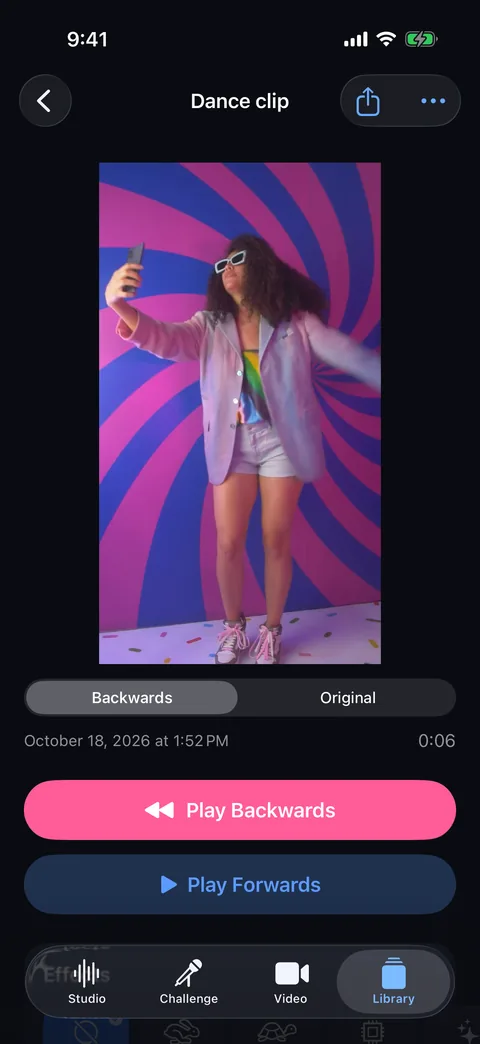
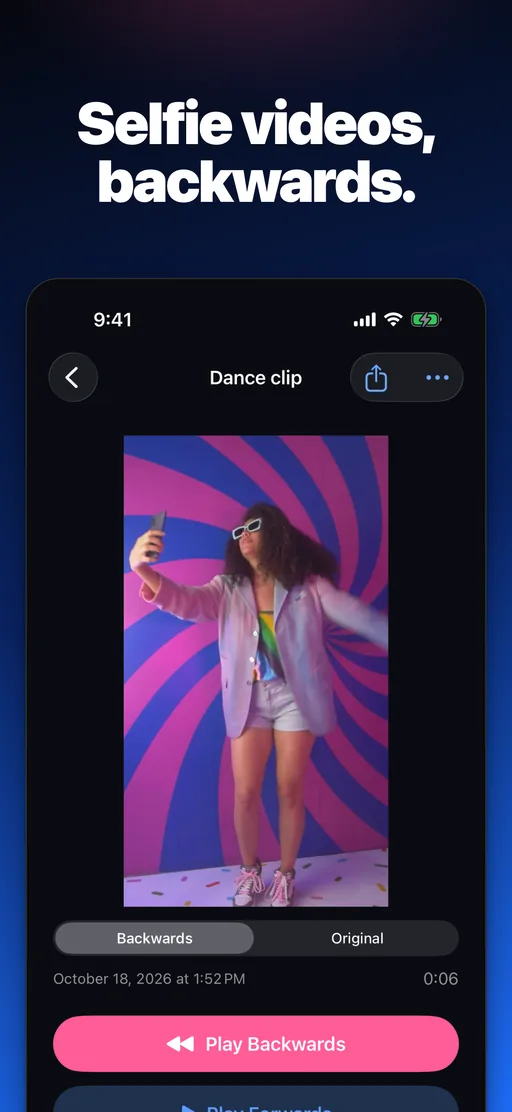
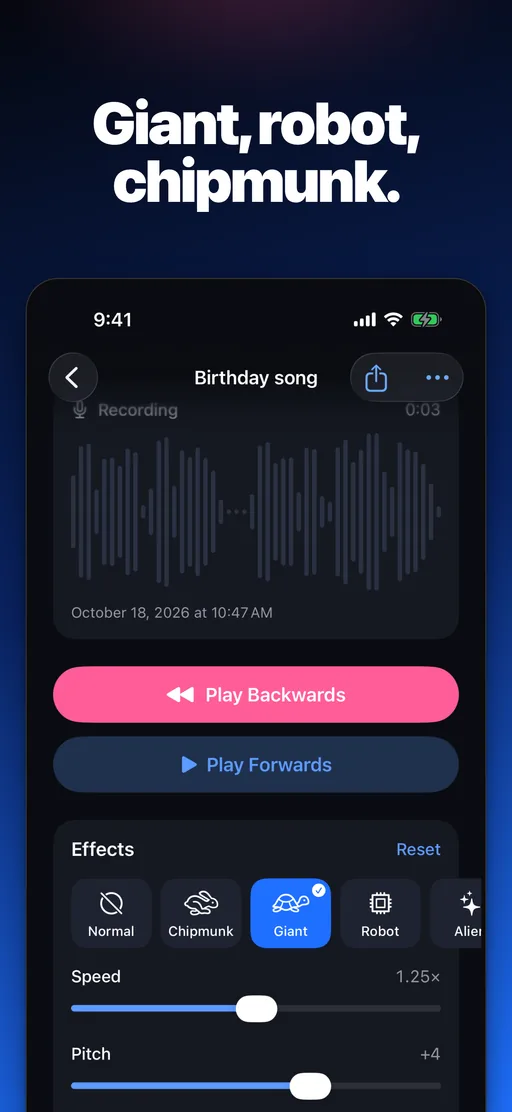
Film a selfie clip and watch it play backwards, sound and all. With Revoo Pro, add Robot, Chipmunk, Giant and other effects, change speed and pitch, and loop a take.
02 · How it works
Three steps to hearing yourself backwards
Record it, hear it flipped, then try to sing the backwards version. No account needed.
- Step 01
Record
Tap Record in the Studio and say a word, sing a line or laugh. Or import a song, a voice memo or the sound of a video.
- Step 02
Hear it backwards
Revoo flips the take the moment you stop. Tap Play Backwards, or Play Forwards to hear the original again.
- Step 03
Take the challenge
Copy the backwards sound, flip your copy back with Play the Reveal, and see how close you got.
03 · Inside the app
A closer look at Revoo
04 · FAQ
Frequently asked questions
Short answers about pricing, privacy, the challenge and devices.
Is Revoo free?
Yes. Recording, reversing, playing takes both ways, the Reverse Singing Challenge and its reveal video, importing audio and recording a backwards selfie clip are free and unlimited, with no ads. Revoo Pro is an optional subscription that adds voice effects, speed, pitch and loop, the challenge score, reversing videos from Photos and exports without the Revoo mark.
How does the Reverse Singing Challenge work?
Record a short line of a song, listen to it backwards, then record yourself copying the backwards sound. Revoo flips your copy forwards again, so you hear how close it comes to the original. With Revoo Pro you also get a score out of 100.
Can Revoo reverse a song or a video I already have?
Yes. In the Studio, tap Import to bring in audio or video from Files, or the sound of a video in Photos, and Revoo reverses it like a recording. Reversing the picture of a video from Photos, not just its sound, comes with Revoo Pro.
Are my recordings uploaded anywhere?
No. Revoo records, reverses and scores on your device, with no account and no tracking. A take leaves your phone only when you share it.
Which devices does Revoo run on?
Revoo runs on iPhone and iPad with iOS 26 or later, in 12 languages.
Rewind
Hear yourself backwards for free
Download Revoo, record anything, and flip it with one tap. No ads, no limits.